
WooCasino login: mobile access and recovery checks
WooCasino login begins with an account you already hold. We recommend using the sign-in option you can see on the site and entering the details associated with that account. If access fails, check the entries and your browser before considering a new account. A successful sign-in does not, by itself, establish eligibility for real-money play where you live.
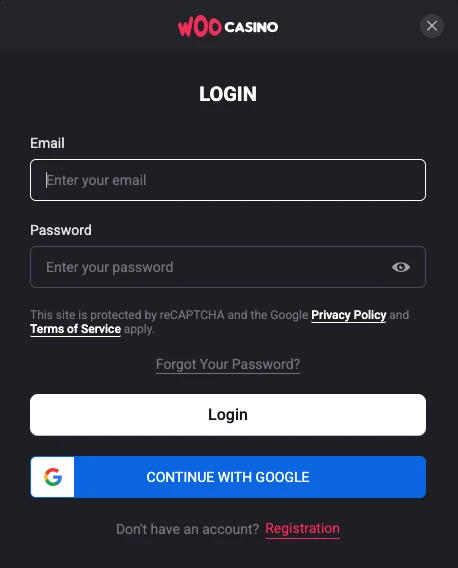
Access your existing Woo Casino account
Signing in to an existing account means entering the credentials associated with it. Use the sign-in option the site presents and follow the form’s prompts rather than assuming it accepts an email address or username in a particular field. If you have more than one saved set of details, check that you’re using those for your original account, not another service.
If you’ve been away for a while, begin with the site’s visible sign-in route instead of an unfamiliar search result; a saved or search-engine link may be outdated. Registering again does not recover the credentials or account you already hold.
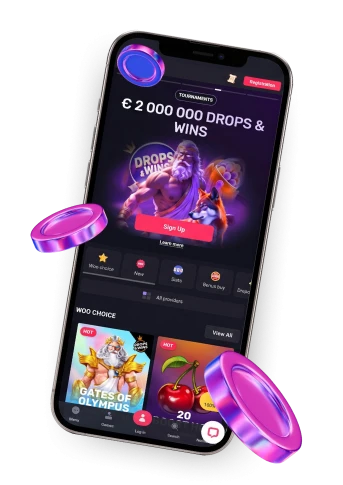
The Woo Casino homepage gives broader product and mobile context, but a browser shortcut or different device does not replace the credentials for your existing account.
Troubleshoot a login that fails
If a sign-in attempt fails, start with the details you’ve entered. Re-enter the identifier the form requests and your password, paying attention to capitalization in the password and to accidental spaces. Check autofill too: a saved entry might be outdated after a password change, and it’s easy to overlook what a browser filled in. If you know the current credentials, try entering them yourself before changing any saved entry.
If it still doesn’t work, refresh the page, then try another browser to see whether a stored session or cached page is interfering. These are general browser checks, not guaranteed fixes for incorrect credentials. If a password-recovery option appears on the site, follow the instructions displayed there rather than relying on a reset link from a search result.
Our Terms limit each individual to one personal player account. A shared household, IP address, address or device can be a signal when checking for duplicate accounts; none is proof on its own that a particular account violates the rule. If you’re locked out, trying to register again could create a separate account rather than restore access to the original.
If the checks don’t help, our Canadian support page displays a contact form with an email field and a submit control. Describe the sign-in issue and, if shown, any error message without including your password or other sensitive credentials. The form provides a way to raise the problem, but does not establish a response time or a particular reset process.
Using Woo on a mobile browser
Our mobile install instructions describe a browser-based home-screen route: open Woo on a mobile device in its browser, select Add to Home screen, press Install and use the resulting icon to open the site. Menu wording and steps can vary by device and browser, so use the options actually displayed on yours.
That icon offers a browser-based way back to Woo; the instructions do not establish a native App Store or Google Play app or a separately documented mobile sign-in screen. Whether you open the site from that icon or a regular browser tab, use the WooCasino login details for your existing account when a sign-in form appears; the shortcut itself is not a new account.
Account access is not the same as play eligibility
Getting into your account answers one question; whether you’re permitted to play for real money is a separate one. Our Terms set a minimum age of 18, or a higher minimum if local rules require it. They also restrict use to places where online gambling is legal and put the responsibility for checking local legality on you, rather than treating site access as proof of permission.
For Canada, our Terms exclude users from Ontario and New Brunswick from real-money play. Those exclusions don’t establish permission in the rest of the country. Even if you sign in from another province, account access still isn’t a confirmed answer about local real-money eligibility; check the rules that apply where you are rather than assuming permission from a successful login.
FAQ
Does sharing a device mean my account is automatically a duplicate?
No. Our Terms limit each individual to one personal player account and treat a shared device, household, IP address or address as a possible duplicate-account signal, not proof on its own of a violation. If access to your existing account is the problem, creating another account won’t recover it.
Will removing the home-screen icon delete my Woo account?
No. The documented icon is created through a mobile browser’s Add to Home screen route. Removing that shortcut from your device does not delete the underlying account. You can open the site in a browser again and use the credentials for your existing account when the sign-in form appears.
Should I send my password through the contact form if I cannot sign in?
No. Describe the problem and any error message without sending your password or other sensitive credentials. Our Canadian support page displays a contact form with an email field and a submit control, but that form does not establish a specific password-reset process or a response time.